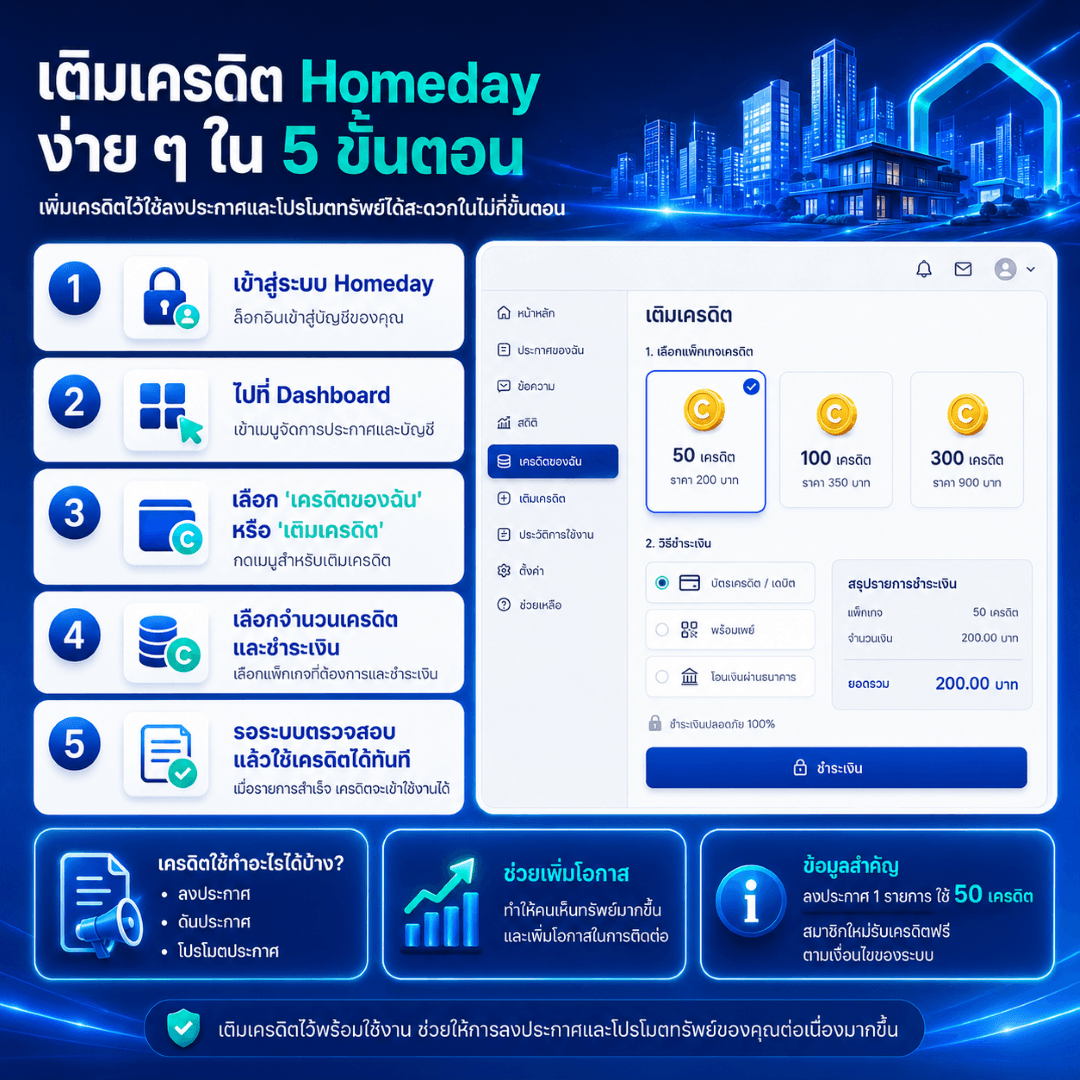
Users can easily top up Homeday credits through their member account to prepare credits for posting listings, boosting listings, or promoting properties to increase visibility. This can be done directly from the Dashboard.
Homeday credits are used for features related to posting and promoting properties, such as posting listings and boosting listings. Information from Homeday's FAQ states that posting 1 listing uses 50 credits, and new members can receive free credits upon complete identity verification according to the system's conditions.
Homeday Credit Top-Up Steps:
Log in to Homeday
Log in to your member account on the Homeday website.
Go to Dashboard
Access your account management page to view listings, credits, and usage information.
Select “My Credits” or “Top Up Credits” menu
Click the menu for credit management to start the top-up process.
Select Credit Amount and Make Payment
Choose the desired credit package, such as 50 credits, 100 credits, or 300 credits. Then select a supported payment method and verify the payment amount.
Wait for System Verification, Then Use Credits Immediately
Once payment is successful and the system verifies it, credits will be added to your member account and can be used to post listings, boost listings, or promote listings according to the system's conditions.
What can credits be used for?
Posting real estate listings
Boosting listings to return them to a more visible position
Promoting listings to increase contact opportunities
Helping listings maintain continuous visibility
If credits are not added after topping up, or if you encounter payment issues, it is recommended to contact the team via LINE Official: @Homeday, providing proof of payment such as a slip, date, time, amount, and the email or phone number used for registration, to help the team investigate faster.