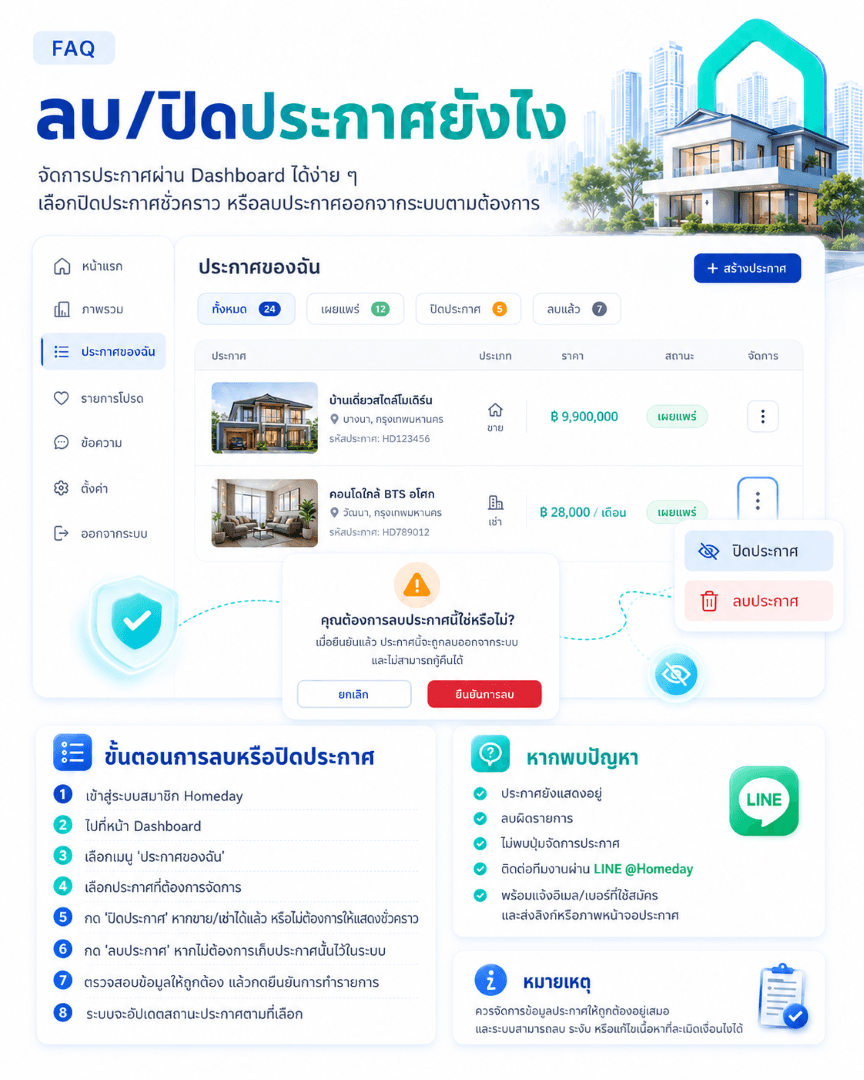
Steps to delete or close a listing:
Log in to your Homeday member account
Go to the Dashboard
Select the “My Listings” menu
Choose the listing you want to manage
Click “Cancel Listing” status if it has been sold/rented or if you want to temporarily hide it.
Click “Delete Listing” if you do not wish to keep that listing in the system.
Review the information for accuracy, then confirm the action.
The system will update the listing status as selected.
If you encounter issues deleting or closing a listing:
If the listing is closed but still appears, if you deleted the wrong item, cannot find the listing management button, or cannot perform the action, it is recommended to contact the team via LINE @Homeday, providing complete information to help the team investigate faster.